
Where Creativity Meets User-Centered Design
Join this interactive workshop to explore the fundamentals of UI/UX and Creative Designing through real examples, design activities, and live demonstrations. Discover how ideas are transformed into user-friendly websites, mobile applications, social media creatives, and digital experiences.
Register Now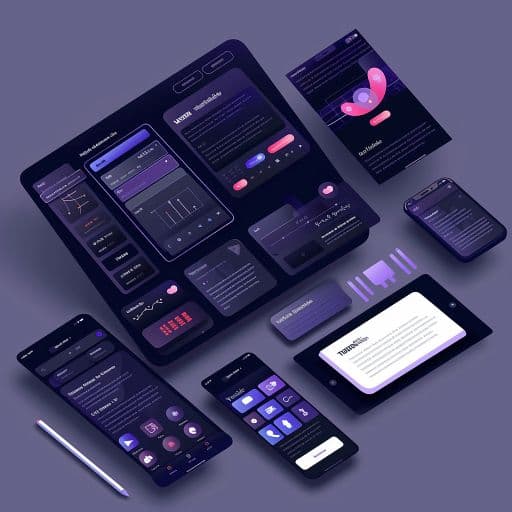

Duration
2 Hours

Learning Format
Online / Offline

Experience Level
Beginner Friendly

Recognition
Certificate of Participation
Duration
2 Hours
Learning Format
Online / Offline
Experience Level
Beginner Friendly
Recognition
Certificate of Participation
Where Creativity Meets User-Centred Thinking
A Workshop in UI/UX & Creative Designing introduces the principles of creating digital experiences that are visually appealing, easy to use, and meaningful for users. UI (User Interface) focuses on designing engaging visual elements, while UX (User Experience) focuses on creating smooth and intuitive interactions.
This workshop explores the design process through user understanding, idea creation, wireframing, interface design, and practical examples. Learn how designers transform concepts into user-friendly websites, applications, and digital experiences.
Why Attend This Workshop?
People interact with digital products every day - from mobile applications and websites to online stores, learning platforms, and social media. When an experience is confusing, users leave. When it is clear, attractive, and easy to use, people are more likely to engage, trust, and return.
What This Workshop Helps You Develop
A Designer's Perspective
Practical Design Awareness
Problem-Solving Skills
Creative Confidence
Tool Familiarity
Career Direction
From a User Problem to a Design Solution
The workshop follows the basic journey designers use to create meaningful digital experiences.
Understanding the User
- Who the user is
- What the user wants to achieve
- What problems the user faces
- What makes an experience frustrating
- How user needs influence design decisions
Organizing the Experience
- User journeys
- Information hierarchy
- Content organization
- Navigation planning
- Screen flow and interactions
Shaping the First Idea
- Sketching design ideas
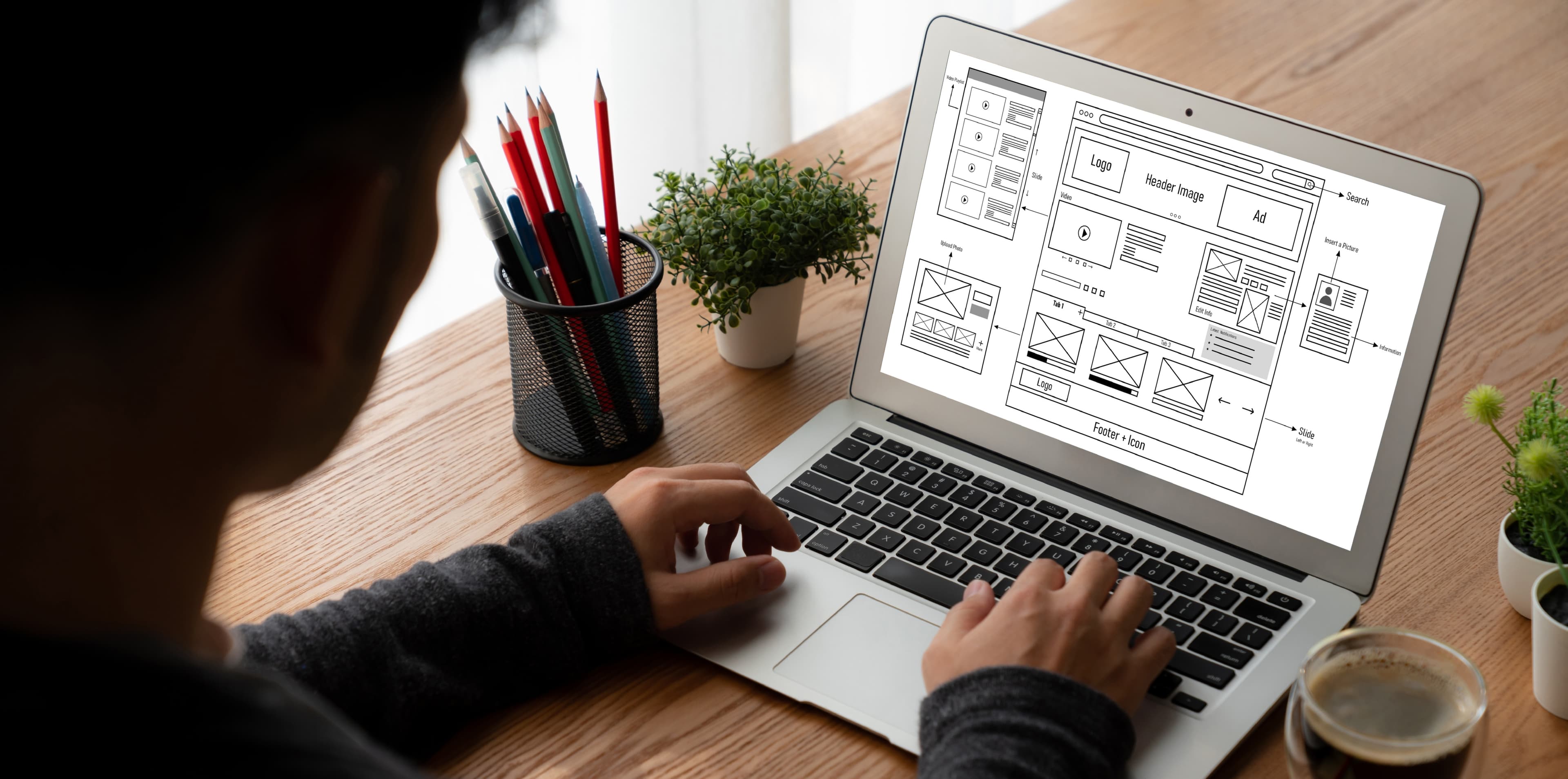
- Low-fidelity wireframes
- Screen placement and layout
- Buttons, forms, menus, and content blocks
- Planning before visual styling
Creating the Visual Interface
- Colour selection
- Typography
- Spacing and alignment
- Icons and images
- Visual consistency
- Responsive screen design
Testing and Improving
See why design is an ongoing process:
- Collecting user feedback
- Finding confusing elements
- Improving usability
- Comparing design options
- Refining the final experience
Welcome and Introduction to Digital Design
Understanding UI, UX, and Creative Designing
User Needs, Design Thinking, and Problem Discovery
User Flow, Wireframes, and Screen Planning
Live Interface and Creative Design Demonstration
Design Principles, Tools, and Career Opportunities
Interactive Q&A
Certificate and Suggested Learning Path
| Duration | Session |
|---|---|
| 10 Minutes | Welcome and Introduction to Digital Design |
| 20 Minutes | Understanding UI, UX, and Creative Designing |
| 20 Minutes | User Needs, Design Thinking, and Problem Discovery |
| 20 Minutes | User Flow, Wireframes, and Screen Planning |
| 25 Minutes | Live Interface and Creative Design Demonstration |
| 15 Minutes | Design Principles, Tools, and Career Opportunities |
| 10 Minutes | Interactive Q&A |
| Final | Certificate and Suggested Learning Path |
Watch an Idea Become a Digital Experience
During the live demonstration, you will see how a basic idea is gradually developed into a structured and visually engaging design.
The demonstration walks through:
Defining the Design Goal
Mapping the User Journey
Creating a Wireframe
Applying Visual Design
Building an Interactive Prototype
Reviewing the User Experience
Creating a Visual Asset
These demonstrations show how a simple idea gradually becomes a polished, user-ready design.
UI/UX and Creative Design in Action
Design that shapes everyday digital experiences.
Mobile Applications
Design clear navigation, simple interactions, readable screens, and smooth user journeys.
Websites
Create structured pages that help visitors quickly understand information and take action.
E-Commerce
Improve product discovery, shopping journeys, checkout experiences, and customer trust.
Education
Design engaging learning platforms, student dashboards, assessments, and course interfaces.
Healthcare
Create accessible appointment systems, patient portals, and digital health experiences.
Banking and Finance
Design secure and easy-to-understand payment systems, dashboards, and financial applications.
Marketing and Branding
Develop advertisements, social media visuals, campaigns, presentations, and brand communication.
Business Platforms
Improve employee dashboards, customer portals, management systems, and workplace tools.
Mobile Applications
Design clear navigation, simple interactions, readable screens, and smooth user journeys.
Websites
Create structured pages that help visitors quickly understand information and take action.
E-Commerce
Improve product discovery, shopping journeys, checkout experiences, and customer trust.
Education
Design engaging learning platforms, student dashboards, assessments, and course interfaces.
Healthcare
Create accessible appointment systems, patient portals, and digital health experiences.
Banking and Finance
Design secure and easy-to-understand payment systems, dashboards, and financial applications.
Marketing and Branding
Develop advertisements, social media visuals, campaigns, presentations, and brand communication.
Business Platforms
Improve employee dashboards, customer portals, management systems, and workplace tools.
Designed for Creative Thinkers and Curious Beginners
No previous design experience is required - curiosity, creativity, and an interest in digital experiences are enough to begin.
School and College Students
Explore digital creativity and discover future pathways in UI, UX, graphic, and product design.

Aspiring UI/UX Designers
Build a clear understanding of design thinking, wireframing, interfaces, and user experience.

Graphic and Creative Designers
Learn how visual creativity connects with usability and digital product experiences.

Developers
Understand how thoughtful design can improve the interfaces and experiences they build.

Entrepreneurs and Startup Founders
Learn how design influences product clarity, customer trust, engagement, and business growth.
Marketing Professionals
Improve your understanding of digital visuals, audience experience, and brand communication.

Tools You'll Explore
Participants will be introduced to selected platforms used for interface design, visual communication, collaboration, and prototyping.
What You'll Take Away
Explain the difference between UI, UX, and Creative Designing
Understand why user needs guide design decisions
Identify the basic stages of the design-thinking process
Recognize the purpose of wireframes and prototypes
Understand how users move through digital interfaces
Apply basic principles of colour, typography, spacing, and hierarchy
Identify common usability problems within websites and applications
Understand how feedback helps improve a design
Recognize the role of popular design tools
Explore suitable next steps for a career or learning path in design
Receive a Certificate of Participation
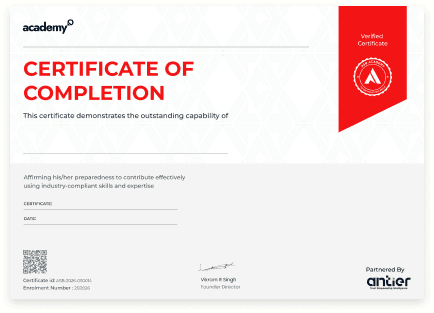
Participants who attend the complete session will receive an official Certificate of Participation from ASB Academy for the Workshop in UI/UX & Creative Designing. The certificate recognizes your effort to explore user-centred thinking, interface design, and digital creativity.
Frequently Asked Questions
Yes. The workshop introduces UI/UX and Creative Designing from the foundation and does not require previous experience.
No. UI/UX design is more focused on understanding users, organizing information, and solving problems than traditional drawing ability.
No. Coding knowledge is not required for this introductory workshop.
UI focuses on the visual and interactive elements of a digital product. UX focuses on the complete experience a user has while using it.
The trainer will demonstrate the design process and may include a guided activity depending on the format and available time.
The session may include tools such as Figma, Canva, FigJam, and selected visual design resources.
A laptop is recommended for the best workshop experience. Online participants should also have a stable internet connection.
Yes. It helps graphic designers understand how visual design connects with user journeys, interaction, and digital products.
Yes. Participants will receive a Certificate of Participation after attending the workshop.
Yes. The session introduces different design roles and helps you understand which learning path may match your interests.
Select the Register Now button, complete the registration form, and you will receive confirmation with workshop details.
Begin Creating Experiences, Not Just Screens
Join ASB Academy's Workshop in UI/UX & Creative Designing to explore how research, ideas, structure, creativity, and visual design come together to create meaningful digital experiences. Whether you want to build a creative career, improve your digital skills, or understand how great products are designed, this workshop gives you a practical place to begin.
Register Now
We are Here to Help You Succeed
Do you have a question about a course or your future?
Just send us a message! Our team is ready to guide you and give you everything you need to become an expert.