
From Everyday Office Tasks to Smarter Digital Workflows
Master essential office tools and digital workflows to improve productivity, accuracy, and efficiency. Learn to create professional documents, analyze data, build impactful presentations, and automate everyday tasks through hands-on practice. Build workplace-ready skills that help you work faster, collaborate better, and confidently handle modern professional challenges.
Enroll Now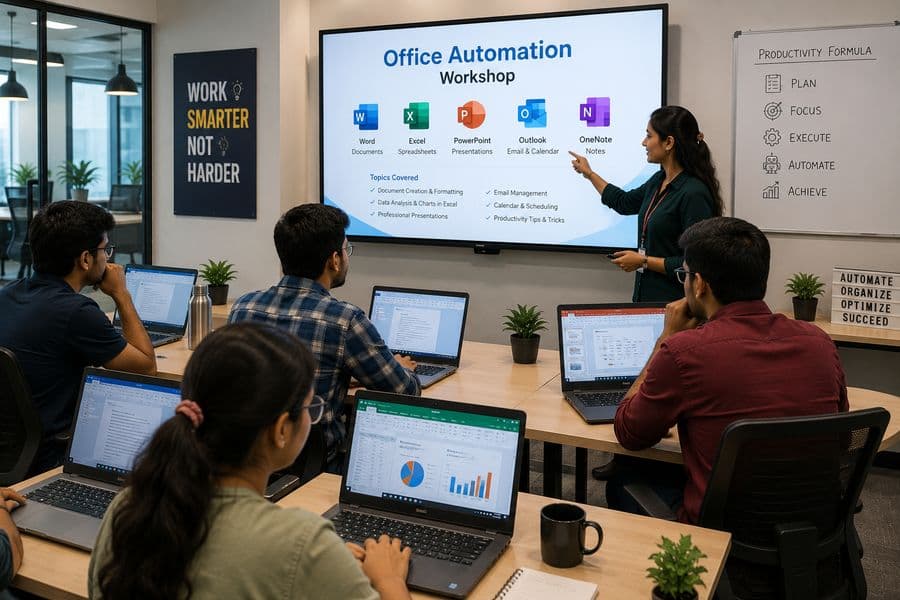

Duration
1-5 Days

Delivery Mode
Online • Offline • Hybrid

Certificate
ASB Academy Certified

Training Style
Practical, Hands-on Learning
Duration
1-5 Days
Delivery Mode
Online • Offline • Hybrid
Certificate
ASB Academy Certified
Training Style
Practical, Hands-on Learning
Explore the Fundamentals
Office automation is the use of digital tools and software to perform everyday office tasks such as creating documents, managing data, sending emails, and preparing reports more quickly and efficiently.
Office automation replaces repetitive manual processes with efficient digital workflows. It enables users to create, manage, organize, analyze, and share information faster while improving collaboration, accuracy, and overall workplace productivity.
Why Choose a Bootcamp in Office Automation?
Knowing basic computer operations is no longer enough. Today's workplaces expect individuals to manage information, prepare professional documents, work confidently with data, and collaborate through digital tools. This bootcamp combines essential office applications with hands-on activities to help you develop practical skills for real administrative and professional tasks.
What Makes This Bootcamp Valuable?
Learn through practical workplace tasks and real-world scenarios
Create professional documents, reports, and presentations
Manage, analyze, and organize data effectively using spreadsheets
Improve digital communication, file management, and collaboration skills
Explore automation features to simplify repetitive tasks
Build workplace-ready skills applicable across industries

What You'll Learn
Throughout the bootcamp, you will progress through a structured learning pathway designed to strengthen your digital workplace skills step by step: Bootcamp → Modules → Office Skills → Practical Tasks → Workplace Project.
Module 1 — Computer and Digital Workplace Essentials
Units: Computer Fundamentals, Operating System Navigation, File and Folder Management, Internet and Email Basics
Units
- Hardware, software, and application basics
- Operating system navigation and settings
- File creation, organisation, and management
- File operations and keyboard shortcuts
Topics
- Internet browsing and information search
- Email communication and attachments
- Digital safety and password practices
Learning Outcomes
By the end of this bootcamp, you will be able to:
Work confidently with computers and office applications used in modern workplaces
Create, organize, and manage files using efficient digital practices
Prepare professional documents including letters, reports, notices, and résumés
Format and enhance documents using layouts, tables, images, and styles
Manage and analyze data using spreadsheets, formulas, functions, and charts
Create professional presentations that communicate ideas clearly
Use email, calendars, and cloud tools for effective communication and collaboration
Apply automation features and templates to simplify repetitive tasks
Create digital forms and manage workplace information efficiently
Improve productivity and accuracy while handling everyday office tasks
Practical Activities
Learning is centred around realistic office assignments that help you build skills you can use immediately.
Industry Applications
Office automation skills support efficient work across almost every professional sector.
Administration
Document preparation, record maintenance, meeting schedules, correspondence, and office coordination.
Finance & Accounting
Expense tracking, budget preparation, calculations, invoices, and financial reporting.
Education
Student records, attendance sheets, lesson documents, presentations, and academic reports.
Human Resources
Employee databases, recruitment records, attendance management, letters, and performance documents.
Sales & Marketing
Customer records, sales reports, campaign presentations, proposals, and data tracking.
Healthcare
Patient records, appointment schedules, administrative reports, and internal documentation.
Retail & Inventory
Stock records, product data, sales tracking, purchase reports, and inventory monitoring.
Small Businesses
Invoices, customer communication, financial records, presentations, scheduling, and daily operations.
Administration
Document preparation, record maintenance, meeting schedules, correspondence, and office coordination.
Finance & Accounting
Expense tracking, budget preparation, calculations, invoices, and financial reporting.
Education
Student records, attendance sheets, lesson documents, presentations, and academic reports.
Human Resources
Employee databases, recruitment records, attendance management, letters, and performance documents.
Sales & Marketing
Customer records, sales reports, campaign presentations, proposals, and data tracking.
Healthcare
Patient records, appointment schedules, administrative reports, and internal documentation.
Retail & Inventory
Stock records, product data, sales tracking, purchase reports, and inventory monitoring.
Small Businesses
Invoices, customer communication, financial records, presentations, scheduling, and daily operations.
Who Can Join?
This bootcamp is designed for anyone who wants to become more confident, organised, and productive with workplace technology.
Students
Build essential computer and office skills before entering higher education, internships, or employment.

Job Seekers
Develop practical skills commonly required for administrative, support, and office-based positions.

Working Professionals
Improve productivity and manage documents, data, presentations, and communication more efficiently.

Administrative Staff
Strengthen everyday capabilities in record management, reporting, scheduling, and workplace communication.

Teachers and Educators
Prepare learning documents, student records, presentations, and reports more effectively.
Entrepreneurs and Small-Business Owners
Manage business information, expenses, presentations, communication, and digital records independently.


Tools & Technologies You'll Explore
During the bootcamp, you will gain hands-on exposure to applications used across modern office environments.
Frequently Asked Questions
Yes. The bootcamp begins with basic computer and file-management skills before progressing to documents, spreadsheets, presentations, and workplace collaboration.
No advanced knowledge is required. Basic familiarity with using a computer is helpful, but essential operations are covered during the programme.
The bootcamp may cover Microsoft Word, Excel, PowerPoint, Outlook, Google Docs, Sheets, Slides, Drive, and other workplace productivity tools.
Yes. You will learn commonly used formulas and functions for calculations, data organisation, and reporting.
Yes. Practical activities include business letters, reports, notices, résumés, tables, and other office documents.
Yes. You will explore professional email communication, inbox organisation, meeting scheduling, reminders, and calendar management.
Yes. The bootcamp includes software demonstrations, guided exercises, workplace scenarios, and a practical final project.
A laptop or desktop computer is recommended for completing the practical activities. Software requirements may be shared before the programme begins.
Yes. Depending on the batch, the bootcamp may be offered in Online, Offline, or Hybrid mode.
Yes. Participants who complete the bootcamp requirements will receive an ASB Academy Certificate of Completion.
The programme develops skills useful for roles such as Office Assistant, Administrative Executive, Data Entry Operator, Computer Operator, Front Office Executive, Documentation Assistant, and other office-support positions.
Start Your Office Skills Journey Today
Learn how to work faster, smarter, and more professionally using essential office tools and digital workflows. Join ASB Academy's Bootcamp in Office Automation and build practical skills for real workplace success. Work Smart. Stay Organised. Get Job Ready.
Enroll Now
We are Here to Help You Succeed
Do you have a question about a course or your future?
Just send us a message! Our team is ready to guide you and give you everything you need to become an expert.